Topics
Sort every conversation by what the customer wrote about, automatically.
Topics describe what customers write about, such as “asks for a quote” or “reports a late shipment”. You define them once. After a conversation goes quiet, ChatAgent sorts it into your topics.
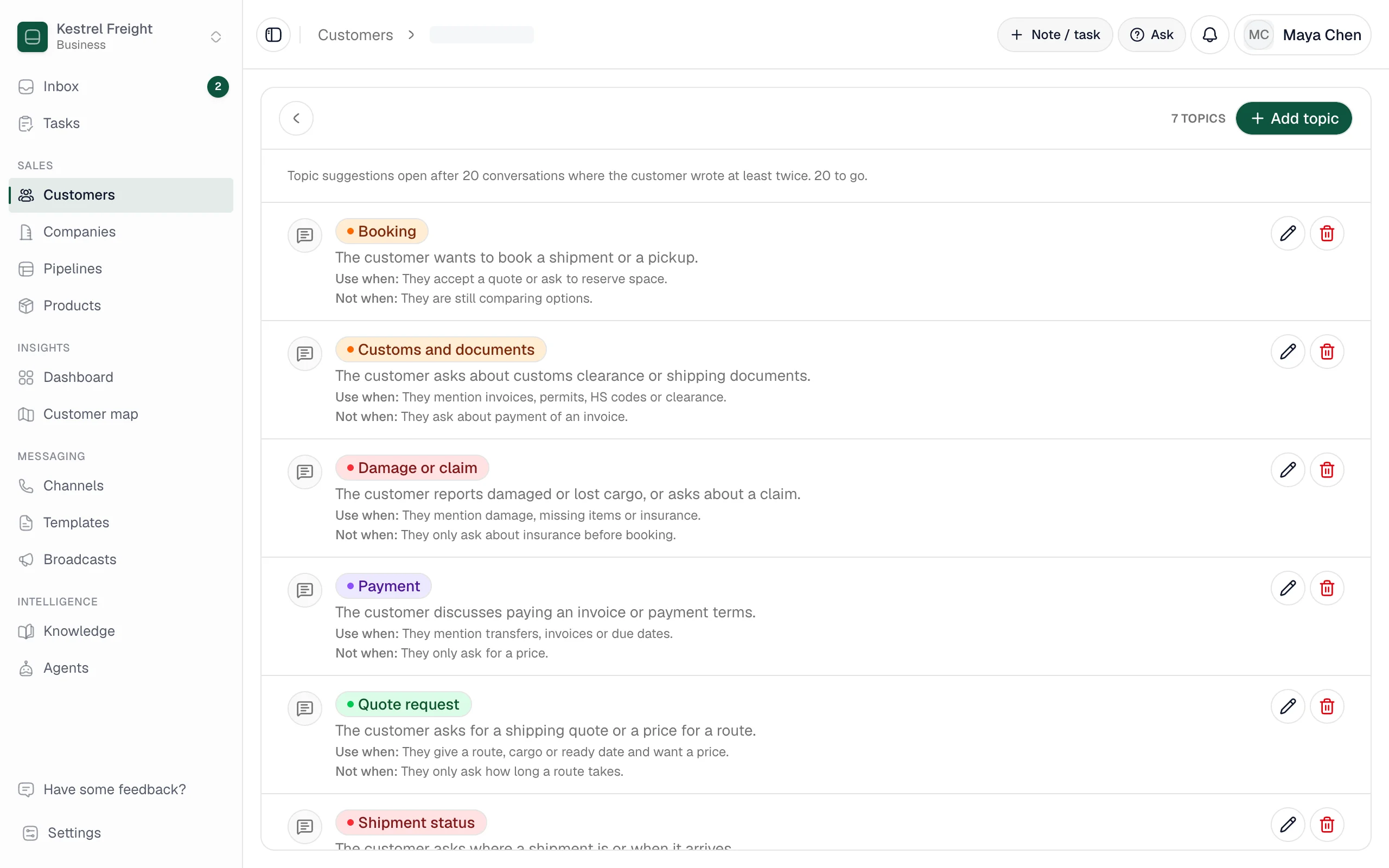
Topics appear on customers and deals, filter Tasks and customer lists, and feed the dashboard. They are included on the Growth plan and above.
Creating topics
Section titled “Creating topics”Open Customers → Topics.
Write them yourself
Section titled “Write them yourself”Give each topic a name and a description. The description is what the AI reads, so be specific about what the topic covers and what it does not. For example: The customer asks for a price or a quotation.
Let the AI suggest them
Section titled “Let the AI suggest them”Choose Write your topics from your conversations. The AI reads up to 80 recent conversations and proposes topics. Nothing is saved until you pick the ones to keep, and you can edit any of them first. You can tell it what to focus on or avoid. This uses AI credits once.
Sorting older conversations
Section titled “Sorting older conversations”New conversations are sorted once they go quiet. Conversations from before you created your topics are not. To include them, use the prompt to sort older conversations. The newest unsorted conversations are sorted in the background.
Topic insights
Section titled “Topic insights”The topics page shows how often each topic came up, compared with the period before, and which deals came up in conversations about each topic.
Archiving
Section titled “Archiving”Archive a topic to stop assigning it to new conversations and remove it from filters. Existing history stays on the customer.