Autopilot and handoff
When the AI agent replies by itself, when it stops, and how it passes a conversation to your team.
Autopilot is your AI agent answering customers on its own. You turn it on per channel. When it should not answer, the agent hands off to a person.
Turning autopilot on
Section titled “Turning autopilot on”- Create an agent in Agents. See AI agents.
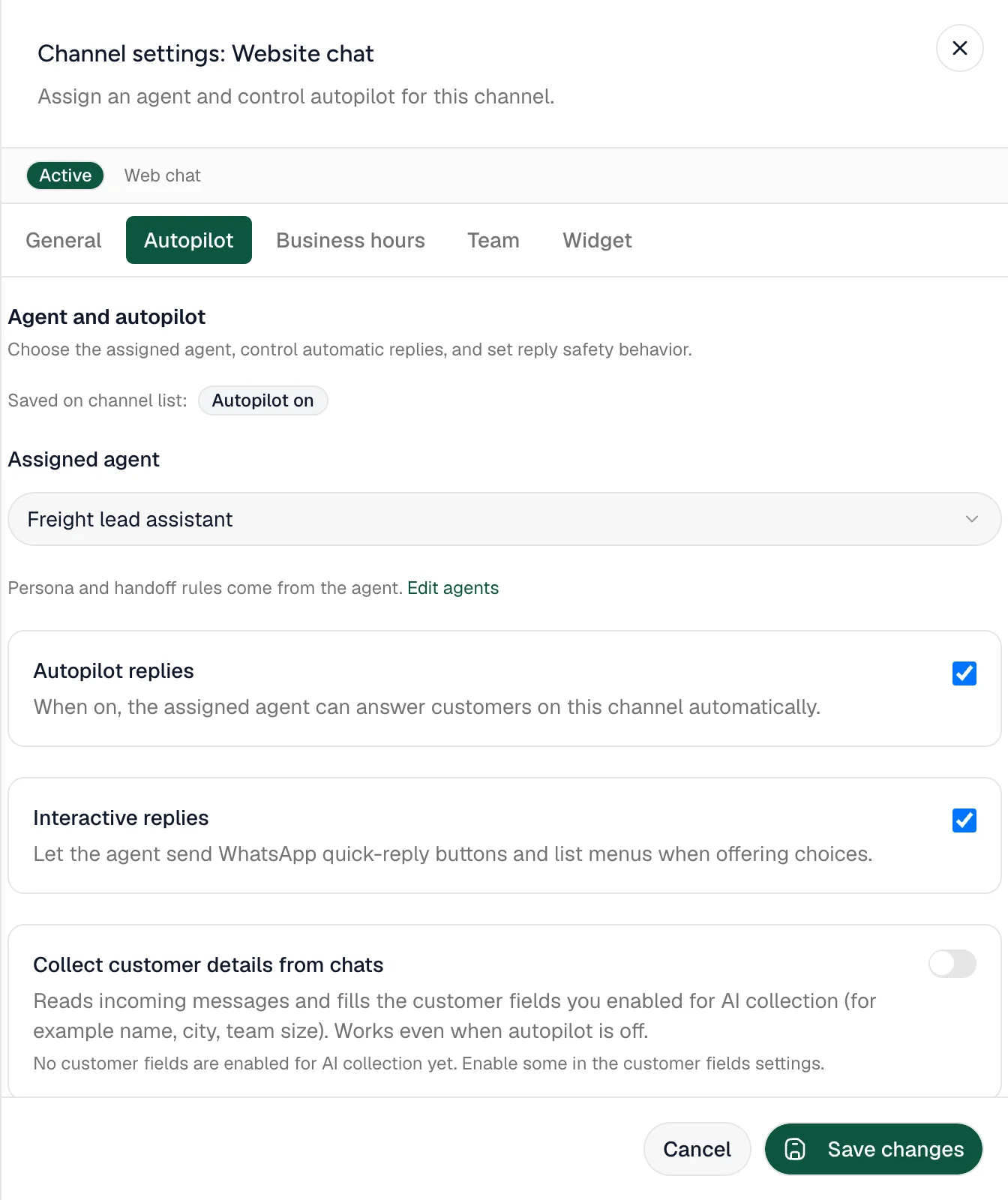
- Open Channels, choose a channel and open its Autopilot tab.
- Choose the assigned agent and turn on Autopilot replies.
The agent’s persona, topics and handoff rules come from the agent. The channel decides when the agent is allowed to reply.
When autopilot replies
Section titled “When autopilot replies”Autopilot answers a new customer message when all of these are true:
- Autopilot is on for the channel.
- The conversation is open or pending.
- No teammate is assigned to the conversation.
- The channel is inside its business hours, if you set them.
- No teammate has replied in the last few minutes.
You control the timing in the channel settings:
| Setting | Where | What it does |
|---|---|---|
| Let your team reply first | Team | Waits 15 seconds, 30 seconds, 1 minute or a custom time before replying, so a person can jump in. |
| Pause after you reply | Autopilot | Keeps autopilot quiet for a while after a teammate sends a message. Choose from no pause up to 1 hour. |
| Business hours | Business hours | Limits autopilot to your opening hours. Outside them, customers can still write, but the agent stays quiet. You can set an away message. |
Autopilot status
Section titled “Autopilot status”Every conversation shows what autopilot is doing right now.
| Status | Meaning |
|---|---|
| AI ready | Autopilot will answer the next customer message. |
| AI queued / AI in … | A reply is scheduled. It is waiting for your team-reply delay. |
| AI writing | The agent is writing a reply now. |
| Human cooldown | Paused because a teammate just replied. |
| AI paused | Paused because a teammate is assigned or the channel is outside business hours. |
| Taken over | The agent handed off and is waiting for the assigned teammate. |
| AI off | Autopilot is turned off for this channel. |
| AI inactive | The conversation is resolved or closed. |
| Couldn’t write a reply | The reply failed. Answer in the composer, or choose Retry. |
Taking over
Section titled “Taking over”When a reply is queued or being written, choose Take over to stop it and answer yourself. Assigning the conversation to a teammate also stops autopilot until the conversation is unassigned again.
Handoff
Section titled “Handoff”The agent hands off when it should not answer, for example when a customer asks for a person, or asks about something outside the agent’s topics. You allow handoff in the agent’s capabilities.
There are two kinds:
| Handoff | Customer sees | What happens |
|---|---|---|
| Visible | A short transfer message from the agent. | The conversation is assigned to the next teammate on the channel’s handoff team. |
| Silent | Nothing. | The same assignment, with no message to the customer. |
In both cases the agent records why it handed off. The conversation shows Autopilot transferred this conversation with the reason, and the assignee is notified. Autopilot stays in Taken over until the teammate replies.
The teammate is picked in turn from the channel’s Handoff round-robin team. If that list is empty, the channel’s default team member gets the conversation. See Assignment and visibility.
Replies without a message
Section titled “Replies without a message”Sometimes the agent only updates the CRM, for example saving the customer’s city, and sends nothing to the customer. That is expected. You see the change on the customer’s profile.