AI agents
Create an AI agent, give it a persona, and put it to work on your channels.
An agent is an AI assistant that answers your customers. It asks new leads the first questions, answers from your knowledge, and hands the conversation to a rep when a person should take over. AI qualifies, your team closes.
You decide who the agent is, what it may talk about, what it knows and what it may do. You do not write prompts. You fill in a few plain-language fields, and ChatAgent builds the instructions.
An agent does nothing until you assign it to a channel and turn on autopilot.
Create an agent
Section titled “Create an agent”Open Agents and choose New agent. You can start from a template:
| Template | Good for |
|---|---|
| Lead qualification | Capturing needs, timeline, budget and contact details. |
| Appointment booking | Booking, rescheduling and preparing for visits. |
| FAQ assistant | Common questions answered from your documentation. |
| After-sales support | Warranty, repairs and post-purchase issues. |
| Online store support | Product, order, delivery and return questions. |
| Restaurant orders | Menu questions, orders, pickup and delivery. |
A template fills in the persona. Adjust it, then save. Pick an icon so the agent is easy to spot in the list.
The editor has four sections: Persona, Knowledge, Capabilities and Preview. Changes apply from the next customer message after you save.
Persona
Section titled “Persona”The persona decides how the agent sounds and what it will discuss.
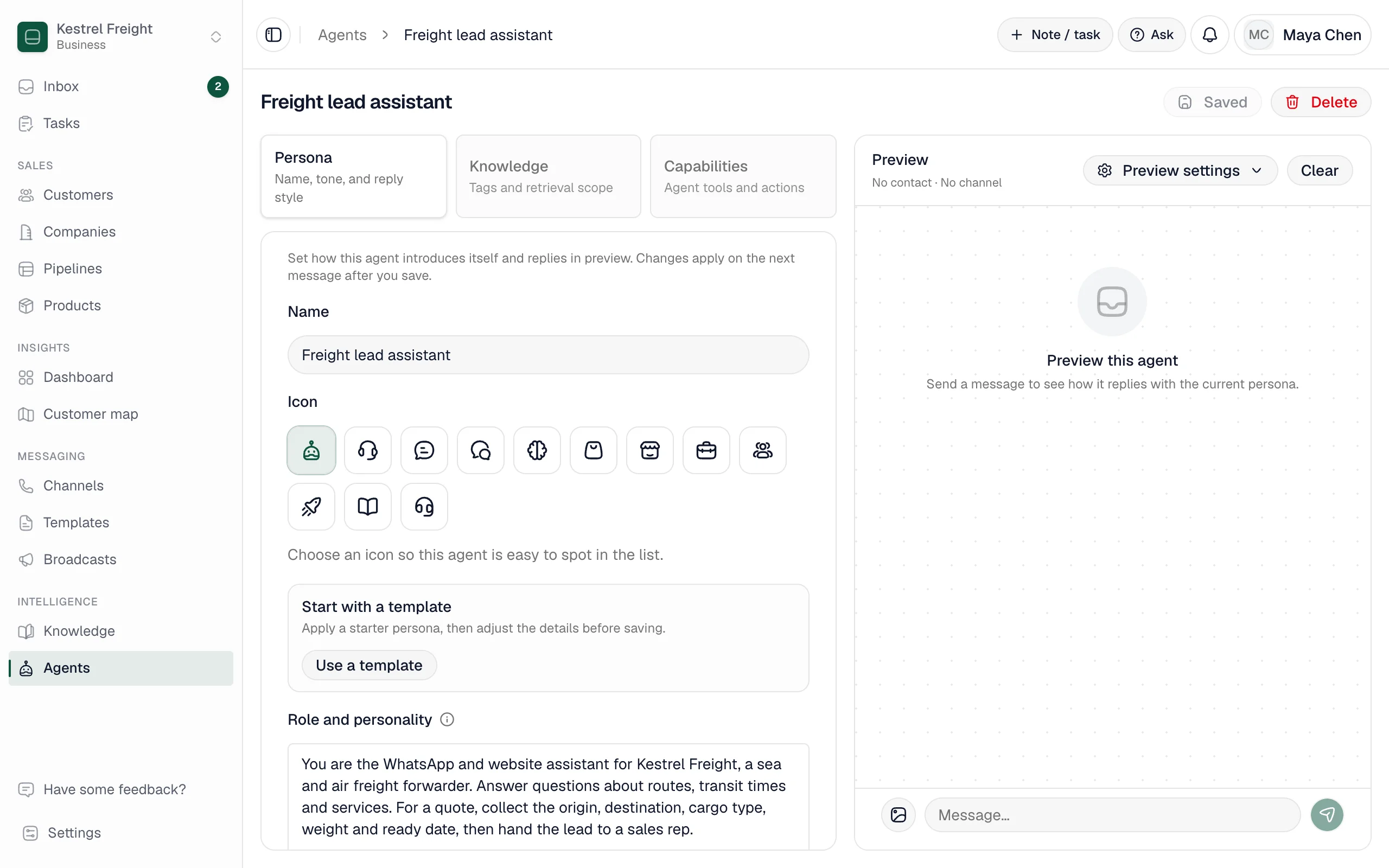
| Field | What to write |
|---|---|
| Role and personality | Who the agent is and what your business does. For example: You are the WhatsApp assistant for our freight forwarding team. Ask for the route, cargo weight and pickup date, then pass the lead to a sales rep. |
| What customers can ask about | Up to 20 short topics. When the list is not empty, the agent declines questions outside these topics. |
| Tone of voice | Friendly, Professional, Casual or Formal. |
| Length of replies | Short, Medium or Detailed. |
| Reply language | Match incoming message follows the language the customer writes in. You can also fix it to English or Bahasa Indonesia. |
| Guidelines (never do) | Hard rules the agent must never break. For example: Never confirm a price or a pickup date. A sales rep confirms both. |
ChatAgent also applies its own safety rules to every agent. They come before your persona and cannot be turned off.
Out-of-scope questions
Section titled “Out-of-scope questions”When you list topics, choose what the agent does when a customer asks about something else:
- Politely refuse: a short refusal that says what the agent can help with.
- Hand off (tell customer): transfer to a teammate with a message.
- Hand off silently: transfer to a teammate without a message.
Handoff options need human handoff turned on.
Knowledge and capabilities
Section titled “Knowledge and capabilities”- Knowledge decides what the agent can look up: your knowledge base, and optionally live pages from websites you trust. See Knowledge and Agent capabilities.
- Capabilities decide what the agent can do besides replying: hand off, update the CRM and send product photos. See Agent capabilities.
Test before you go live
Section titled “Test before you go live”Use Preview to chat with the agent as a customer before customers do. See Preview your agent.
Put the agent to work
Section titled “Put the agent to work”- Open Channels and choose a channel.
- In the Autopilot tab, choose the agent as the Assigned agent.
- Turn on Autopilot replies and save.
One agent can serve several channels. Each channel can have only one agent. Your plan limits how many agents you can create. See Plans and billing.
Deleting an agent
Section titled “Deleting an agent”If channels use the agent, ChatAgent offers to hand them to another agent. If you choose no replacement, AI turns off on those channels.