Web chat
Add a chat widget to your website, or share a hosted chat page, and answer visitors from your inbox.
Web chat puts a chat bubble on your website. Visitors start a conversation there, and it lands in your Inbox like any other channel. Your agent can answer them, and your team can take over.
Create a widget
Section titled “Create a widget”- Open Channels and choose Web chat, then Add account.
- Name the widget so your team can tell channels apart. Each widget has its own install code.
- Open the widget’s Widget tab to design it and get the code.
Assign an agent and turn on autopilot in the Autopilot tab, as with any channel. See Channels.
Design the widget
Section titled “Design the widget”| Setting | What it does |
|---|---|
| Header title | Shown at the top of the widget. Left empty, it uses the channel name. |
| Header image URL | An optional logo or avatar. Left empty, it shows initials. |
| Greeting | The first message visitors see. |
| Conversation starters | Quick replies shown before the visitor sends their first message. |
| Launcher label | Optional text beside the chat button. Clear it to show the icon only. |
| Primary color | The widget’s main color. Text color is picked for contrast automatically, or you can set your own. |
| Position | Bottom right or bottom left. |
| Allowed origins | The domains visitors may chat from, one per line, such as https://www.example.com. |
Install on your website
Section titled “Install on your website”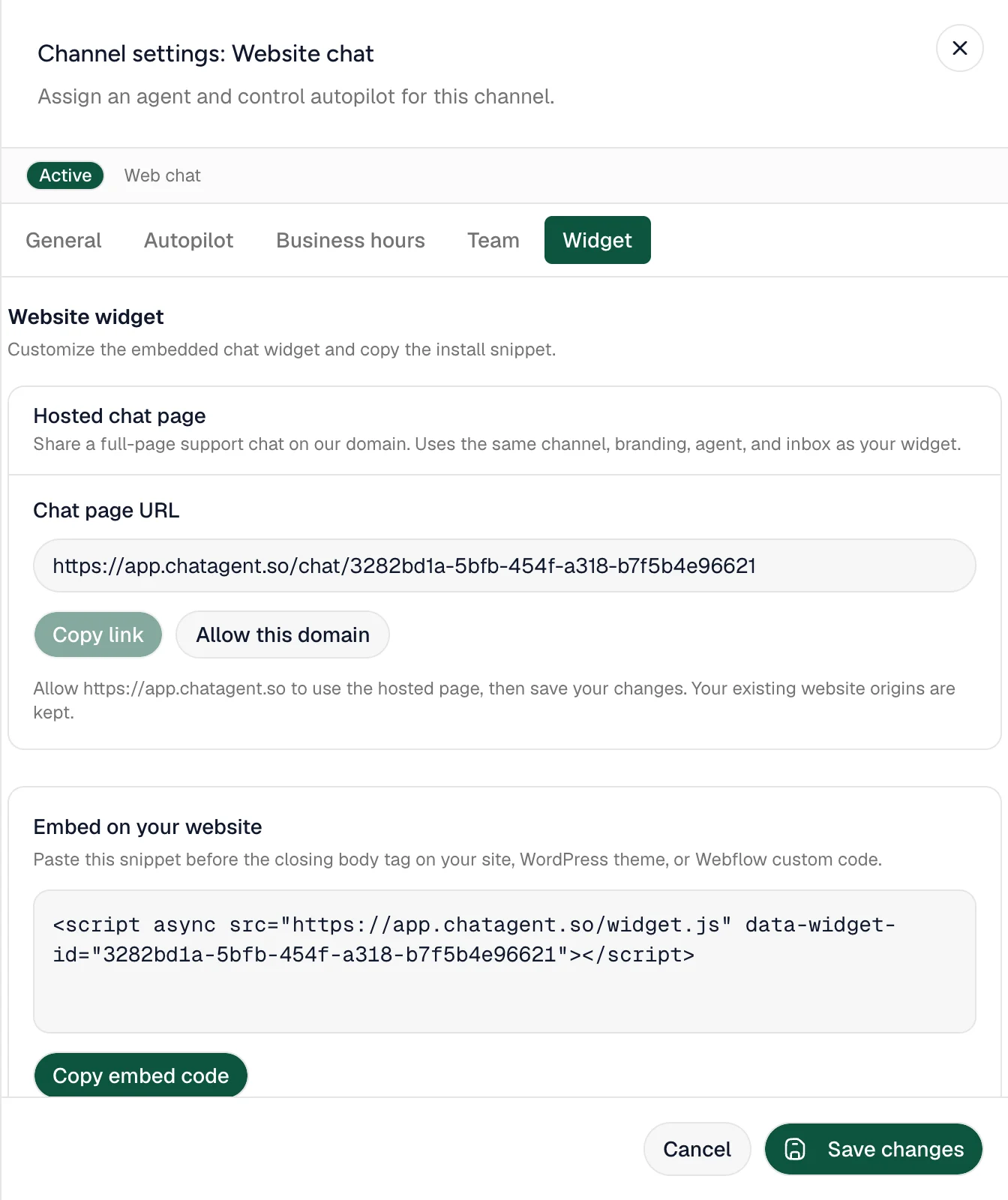
Copy the embed code and paste it before the closing </body> tag of your site. It works with any site, including WordPress themes and Webflow custom code.
<script async src="https://app.chatagent.so/widget.js" data-widget-id="YOUR_WIDGET_ID"></script>Use the code from the widget settings. It already contains your widget ID.
Open the chat from your own button
Section titled “Open the chat from your own button”If a floating bubble would cover part of your site, hide it and open the chat from any button or link. Use the manual launcher code:
<script async src="https://app.chatagent.so/widget.js" data-widget-id="YOUR_WIDGET_ID" data-launcher="manual"></script><button type="button" onclick="ChatAgent.open('YOUR_WIDGET_ID')">Open Support</button>ChatAgent.open() opens the chat and ChatAgent.close() closes it.
Hosted chat page
Section titled “Hosted chat page”Every widget also has a hosted chat page, a full-page chat on a ChatAgent address. It uses the same channel, branding, agent and inbox as your widget. Share the link anywhere: in an email, a QR code or your social profiles.
To turn it on, choose Allow this domain in the widget settings and save. Your existing website origins are kept. Then use Copy link or Open chat page.
It is also the quickest way to try your agent end to end before you change your website.
Removing a widget
Section titled “Removing a widget”Removing the web chat channel deletes its conversations, and the code on your site stops working.