Agent capabilities
Choose what your agent can look up and what it can do besides replying.
Capabilities decide what an agent can do in the inbox and in preview. A capability you turn off is hidden from the AI entirely, so it cannot use it by mistake.
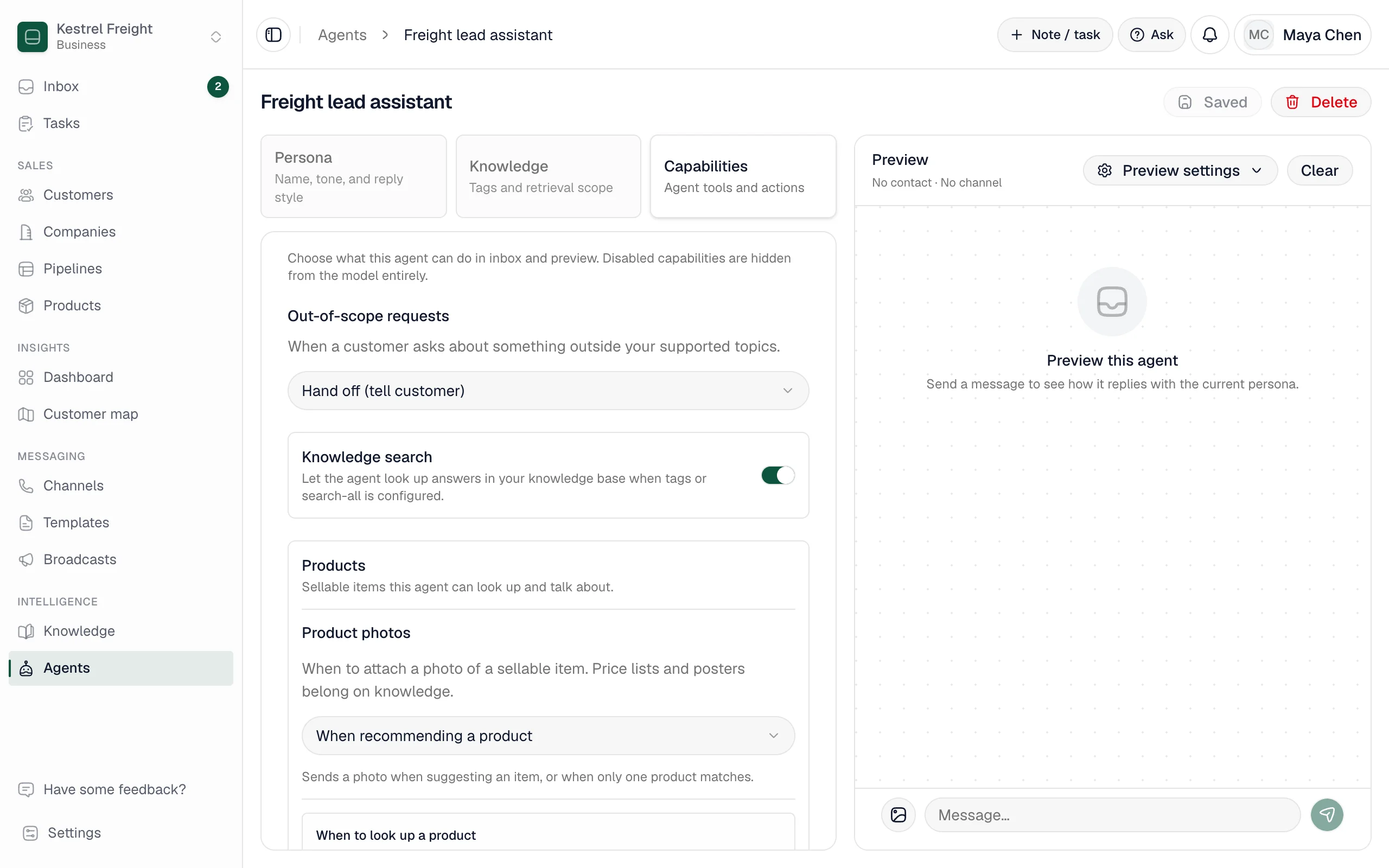
Set them in the agent editor, under Knowledge and Capabilities.
Knowledge
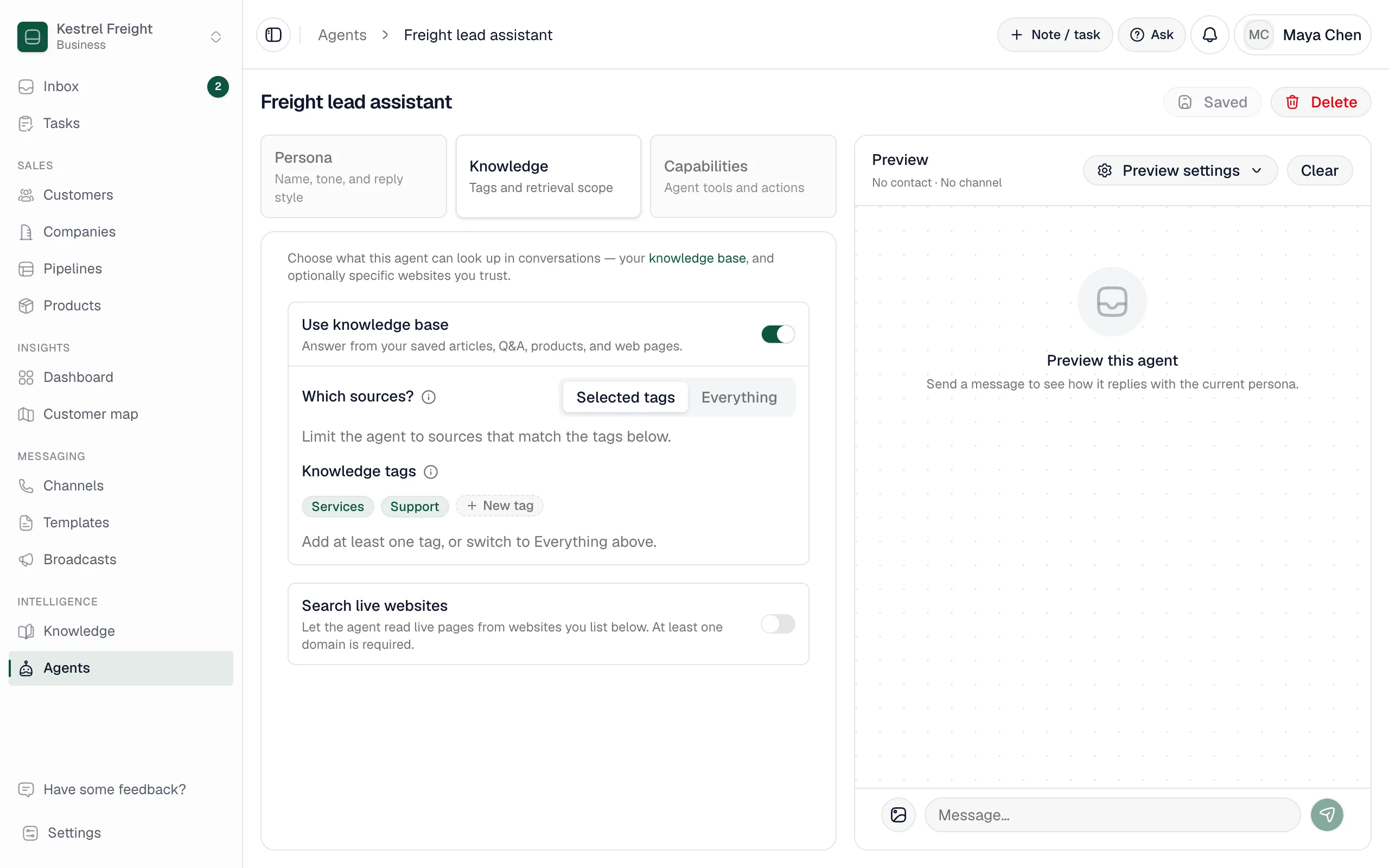
Section titled “Knowledge”Turn on Use knowledge base to let the agent answer from your saved articles, Q&A, products and web pages. Then choose Which sources?:
- Everything: every source in your organization.
- Selected tags: only sources with the tags you pick. Use this when different agents handle different topics.
Without knowledge, the agent answers from its persona alone.
Live web search
Section titled “Live web search”Turn on Search live websites to let the agent read live pages from websites you trust. Add each domain under Approved websites, such as help.yourcompany.com or *.yourcompany.com. The agent can only read pages from those domains, and live search stays off until you add at least one.
See Knowledge for adding sources.
Handoff
Section titled “Handoff”Turn on Human handoff to let the agent pass conversations to your team. Then write handoff rules in plain language, one per line.
| Rule list | What happens |
|---|---|
| Tell the customer | The agent sends a warm transfer message, then assigns a teammate. Example rule: The customer asks to speak with a human. |
| Silent transfer | The agent assigns a teammate without messaging the customer. Example rule: A fraud signal needs private review. |
The teammate comes from the channel’s handoff team. See Autopilot and handoff.
CRM updates
Section titled “CRM updates”Turn on CRM updates to let the agent save facts from the conversation, such as a customer’s city, company size or budget. Under Allowed entities, choose what it may update: Contact, Company and the customer’s primary deal.
- When a field is empty, the agent fills it in.
- When a field already has a value, the agent proposes the change, and a teammate approves it in the inbox. Existing values are never overwritten without approval.
The agent fills the custom fields you enabled for AI collection. A good field description makes it far more accurate.
CRM updates are included on the Growth plan and above. Company updates need the Business plan.
Products
Section titled “Products”Choose which products the agent can look up and talk about. Then set Product photos:
| Setting | Behavior |
|---|---|
| When recommending a product | Sends a photo when suggesting an item, or when only one product matches. |
| Only when the customer asks | Sends a photo only if the customer asks to see it. |
| Never send product photos | Looks up products for the reply text, but never attaches a photo. |
Under When to look up a product, you can add extra cases in plain language, such as When the customer asks which size to buy.
Keep price lists and posters in knowledge. Product photos are for showing a single item. See Products.